Transcribed
Power Platform SQL integration: how to put on‑prem data into Copilot Studio safely
Nov 13, 2025 ·
21m
Download and listen anywhere
Download your favorite episodes and enjoy them, wherever you are! Sign up or log in now to access offline listening.
Power Platform SQL integration: how to put on‑prem data into Copilot Studio safely
Chapters
Description
Copilot Studio agents sound confident but cannot see the customer and order data that lives in on-prem SQL Server. This episode shows Power Platform makers and architects how to connect...
show more
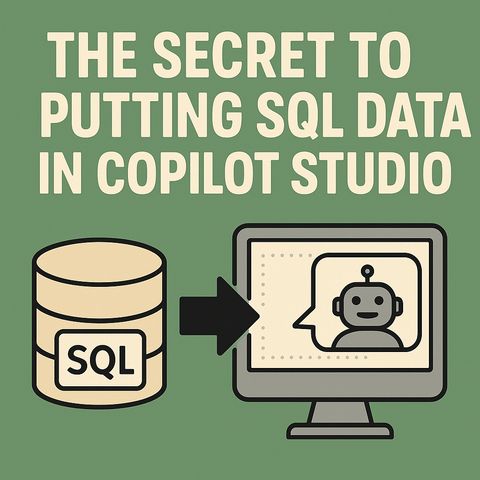
Copilot Studio agents sound confident but cannot see the customer and order data that lives in on-prem SQL Server. This episode shows Power Platform makers and architects how to connect SQL through the on-premises data gateway as a knowledge source and with write-back actions, without opening the firewall or moving the data.
In this episode
Key takeaways
Worth quoting
“Directly exposing SQL data to the cloud is corporate self-harm. Firewalls, network zones, and authentication boundaries exist precisely because someone once tried just opening a port and spent the next quarter explaining the breach.” – Mirko Peters (02:04)
“The gateway maintains sovereignty by initiating every conversation outward, picture it like an employee who only makes phone calls. They never accept incoming ones.” – Mirko Peters (03:48)
Explore more on M365.FM
Follow and rate M365.FM in your podcast app, and join the free M365 community at m365con.net.
Become a supporter of this podcast: https://www.spreaker.com/podcast/m365-fm-microsoft-365-azure-cloud-power-platform-ai--6704921/support.
show less
In this episode
- 00:00 – A fluent but clueless copilot
- 00:47 – Why copilots fail without context
- 03:16 – The data gateway as the spine of hybrid AI
- 07:28 – Adding SQL as a knowledge source
- 11:55 – SQL actions and write-backs
- 16:42 – Hybrid architecture and scaling
- 20:09 – The real secret: architecture
Key takeaways
- The on-premises data gateway lets Copilot Studio query and update on-prem SQL Server through outbound-only, encrypted connections without copying the database to the cloud.
- Expose only well-named, read-optimized views as knowledge sources and clearly labeled parameters for SQL actions, so the agent queries precisely and asks for missing inputs.
- Use gateway clusters for resilience, separate read and write credentials, and export Power Platform telemetry for auditing.
Worth quoting
“Directly exposing SQL data to the cloud is corporate self-harm. Firewalls, network zones, and authentication boundaries exist precisely because someone once tried just opening a port and spent the next quarter explaining the breach.” – Mirko Peters (02:04)
“The gateway maintains sovereignty by initiating every conversation outward, picture it like an employee who only makes phone calls. They never accept incoming ones.” – Mirko Peters (03:48)
Explore more on M365.FM
- Episode page: the full episode with chapters, quotes and FAQ on the SQL setup
- Copilot Studio – where the agent gets on-prem SQL tables as knowledge and SQL actions for write-backs
- Power Platform – provides the data gateway shared by Copilot Studio, Power BI, Power Apps and Power Automate
- Knowledge source – how SQL tables and read-optimized views are added so the agent answers from live data
- Related episode: Power Platform Copilot Integration - Simply Explained
Follow and rate M365.FM in your podcast app, and join the free M365 community at m365con.net.
Become a supporter of this podcast: https://www.spreaker.com/podcast/m365-fm-microsoft-365-azure-cloud-power-platform-ai--6704921/support.
Information
| Author | Mirko Peters M365, Azure & AI |
| Organization | m365 FM |
| Website | www.m365.fm |
| Tags |

Copyright 2026 - Spreaker Inc. an iHeartMedia Company

Comments