Transcribed
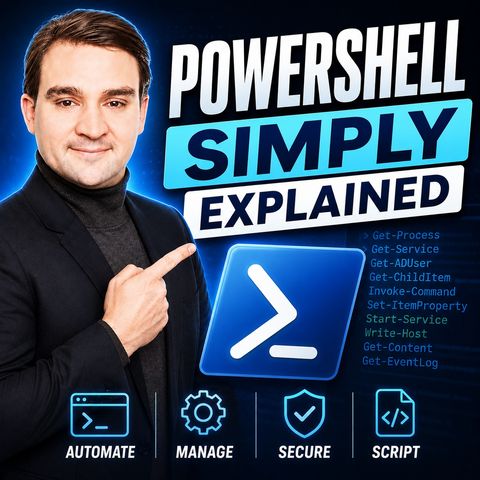
PowerShell - Simply Explained
Jul 15, 2026 ·
15m 41s
Download and listen anywhere
Download your favorite episodes and enjoy them, wherever you are! Sign up or log in now to access offline listening.
PowerShell - Simply Explained
Description
Still clicking through the same menus every day? This episode explains PowerShell in plain English for IT admins and beginners, from the verb-noun pattern and objects to the pipeline and...
show more
Still clicking through the same menus every day? This episode explains PowerShell in plain English for IT admins and beginners, from the verb-noun pattern and objects to the pipeline and the five cmdlet groups that cover most daily work, so you can write your first automation today.
In this episode
Key takeaways
Worth quoting
“PowerShell is a full automation platform. Think of it as a command line shell, a scripting language, and a remote management tool all in one.” – Mirko Peters (00:47)
“You don't learn power shell by memorizing a thousand commands. You learn the pattern and you can figure out the rest as you go.” – Mirko Peters (03:12)
Explore more on M365.FM
Follow and rate M365.FM in your podcast app, and join the free M365 community at m365con.net.
Become a supporter of this podcast: https://www.spreaker.com/podcast/m365-fm-microsoft-365-azure-cloud-power-platform-ai--6704921/support.
show less
In this episode
- 00:00 – The hidden superpower on your computer
- 00:37 – What PowerShell actually is
- 01:58 – The verb-noun pattern
- 03:29 – Objects, not text
- 05:48 – The five essential cmdlet groups
- 08:09 – Discovery first: Get-Help, Get-Command, Get-Member
- 09:52 – Filtering, shaping and exporting
- 11:55 – The pipeline in action and first steps
Key takeaways
- PowerShell combines a command-line shell, a scripting language and remote management in one cross-platform tool that reaches Windows, Azure, Microsoft 365, Exchange and Active Directory.
- Cmdlets follow a consistent verb-noun pattern and return objects, so Get-Help, Get-Command and Get-Member let you discover everything from inside the tool.
- The pipeline chains filtering, shaping and exporting into repeatable one-liners; start by automating the task you do most often.
Worth quoting
“PowerShell is a full automation platform. Think of it as a command line shell, a scripting language, and a remote management tool all in one.” – Mirko Peters (00:47)
“You don't learn power shell by memorizing a thousand commands. You learn the pattern and you can figure out the rest as you go.” – Mirko Peters (03:12)
Explore more on M365.FM
- Episode page: the full episode with chapters, quotes and a short PowerShell FAQ
- Automation – the core goal: turning repeated admin tasks into one-liners, scheduled reports and scripts
- Active Directory – the example for finding and unlocking locked-out user accounts in one pipeline
- Exchange Online – one of the services PowerShell manages with the same pattern, such as Get-Mailbox
- Mirko Peters – host of this Knowledge Nuggets episode explaining PowerShell for beginners and IT admins
- Related episode: PowerShell for Microsoft 365 - Simply Explained
Follow and rate M365.FM in your podcast app, and join the free M365 community at m365con.net.
Become a supporter of this podcast: https://www.spreaker.com/podcast/m365-fm-microsoft-365-azure-cloud-power-platform-ai--6704921/support.
Information
| Author | Mirko Peters M365, Azure & AI |
| Organization | m365 FM |
| Website | www.m365.fm |
| Tags |

Copyright 2026 - Spreaker Inc. an iHeartMedia Company

Comments