Transcribed
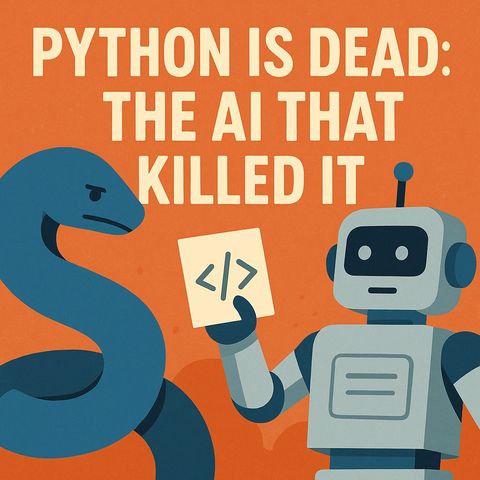
Python Is Dead: The AI That Killed Python for Microsoft Automation
Nov 22, 2025 ·
26m 4s
Download and listen anywhere
Download your favorite episodes and enjoy them, wherever you are! Sign up or log in now to access offline listening.
Python Is Dead: The AI That Killed Python for Microsoft Automation
Chapters
Description
Many teams push Python into Power Automate and Power BI as glue and then fight fragile flows, drifting dependencies and scattered logs. This episode shows Power Platform makers and architects...
show more
Many teams push Python into Power Automate and Power BI as glue and then fight fragile flows, drifting dependencies and scattered logs. This episode shows Power Platform makers and architects how Copilot, Office Scripts and agents with typed contracts take over the orchestration while Python stays where it shines: analytics.
In this episode
Key takeaways
Worth quoting
“office scripts aren't toy typescript. They are the sanctioned edge for automating Excel and related Microsoft 365 tasks without dragging in infra.” – Mirko Peters (02:38)
“Dynamic typing's freedom is fun until it's 3 p.m. on quarter close and your flow succeeds with the wrong shape. Strong typed boundaries catch stupidity before it ships.” – Mirko Peters (03:48)
Explore more on M365.FM
Follow and rate M365.FM in your podcast app, and join the free M365 community at m365con.net.
Become a supporter of this podcast: https://www.spreaker.com/podcast/m365-fm-microsoft-365-azure-cloud-power-platform-ai--6704921/support.
show less
In this episode
- 00:00 – AI writes the glue, not you
- 00:33 – Python's friction inside Power Platform
- 05:01 – Why manual code and static playbooks fail
- 07:36 – Agent plus Copilot as the orchestrator
- 12:57 – Power BI dataflows: generated, not hand-written
- 16:06 – Power Automate: Office Scripts plus agents
- 19:23 – Fabric notebooks: contain Python
- 23:37 – 30-day implementation playbook
Key takeaways
- Inside Power Platform, Python is indirect glue that adds external compute, secrets, cold starts and version drift, while Office Scripts and native connectors run where the Microsoft 365 data lives.
- Let Copilot and agents generate scripts and Power Query steps against typed contracts and the semantic model, then review the diff and keep the prompt as a reusable asset.
- Keep Python contained in Fabric notebooks and dataflows for analytics kernels, and let the platform and agents handle scheduling, validation, I/O and approvals.
Worth quoting
“office scripts aren't toy typescript. They are the sanctioned edge for automating Excel and related Microsoft 365 tasks without dragging in infra.” – Mirko Peters (02:38)
“Dynamic typing's freedom is fun until it's 3 p.m. on quarter close and your flow succeeds with the wrong shape. Strong typed boundaries catch stupidity before it ships.” – Mirko Peters (03:48)
Explore more on M365.FM
- Episode page: the full episode with chapters, quotes and a 30-day migration plan
- Power Automate – where Python glue behind custom connectors makes flows brittle; Office Scripts and native connectors replace it
- AI agent – agents with typed tool contracts orchestrate Office Scripts, dataflows and notebooks instead of hand-written glue
- Fabric notebooks – where Python stays contained as the analytics kernel, called by agents through typed job inputs and outputs
- Related episode: Power Platform Copilot Integration - Simply Explained
Follow and rate M365.FM in your podcast app, and join the free M365 community at m365con.net.
Become a supporter of this podcast: https://www.spreaker.com/podcast/m365-fm-microsoft-365-azure-cloud-power-platform-ai--6704921/support.
Information
| Author | Mirko Peters M365, Azure & AI |
| Organization | m365 FM |
| Website | www.m365.fm |
| Tags |

Copyright 2026 - Spreaker Inc. an iHeartMedia Company

Comments